
If you spend long hours at a desk, the chair you use matters more than you may realise. The wrong chair can make simple tasks uncomfortable, while the right one can support your posture, movement, and focus throughout the day.
Task chairs are designed for everyday desk work, especially where comfort and flexibility are important. They may look similar to standard office chairs, but they are built with specific features that make them more practical for focused work. In this guide, we’ll look at what a task chair is, how it differs from other office chairs, and what to consider before choosing one.
What is a Task Chair?
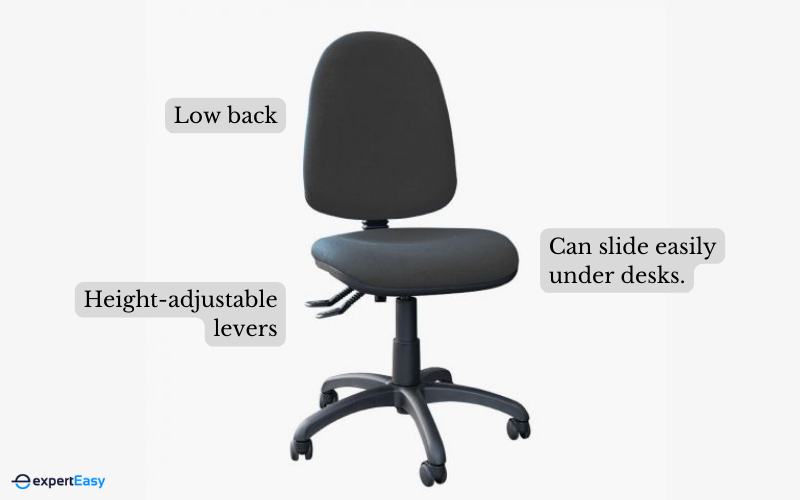
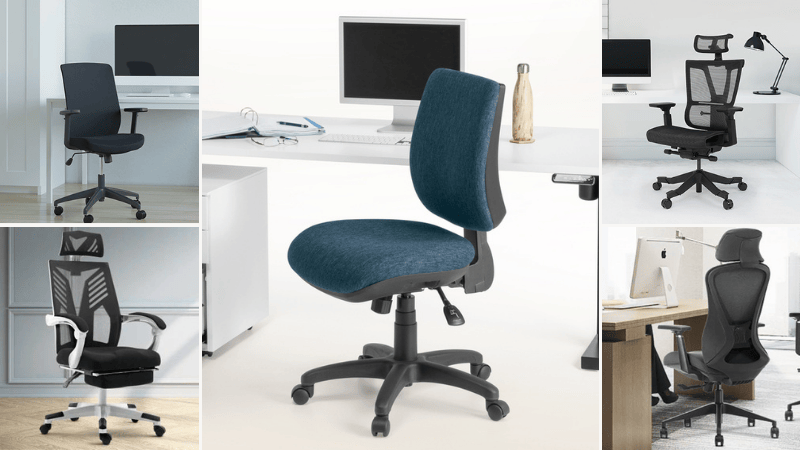
A task chair is a specialised chair for use at a desk or workstation, in office settings. Its primary purpose is to provide comfortable seating and support for individuals who spend extended periods of time working at a computer or engaging in various tasks that require sitting at a desk.
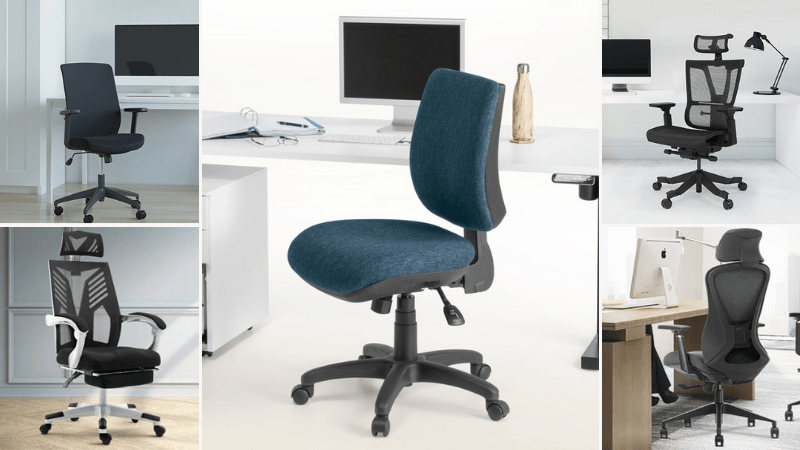
Compared to ergonomic office chairs, which I delve into further in the sections below, task chairs have a more petite and streamlined design. They often lack armrests or sport lower armrests and come equipped with adjustable height and a swivel base. Here's what distinguishes them:
- Adjustable height: Most task chairs let you raise or lower the seat so it matches your desk height.
- Lumbar support: Many task chairs support your lower back, helping you sit more comfortably for longer periods.
- Seat depth and tilt: Some task chairs let you adjust how far the seat extends and how much it tilts. This helps reduce pressure on your thighs and lower back.
- Armrests: Some models include adjustable armrests, giving your arms better support while typing or using a mouse.
- Swivel base: A swivel base lets you turn easily without twisting your body.
- Comfortable upholstery: Task chairs usually have padded seats and breathable materials to keep you comfortable during long work hours.
- Mobility: Many task chairs come with wheels, making it easier to move around your workspace without standing up.
Types of Task Chairs
Like ergonomic chairs, all task chairs are not equal. I'll shed some light on the main variations to help you make an informed choice.
Task Chairs With Wheels
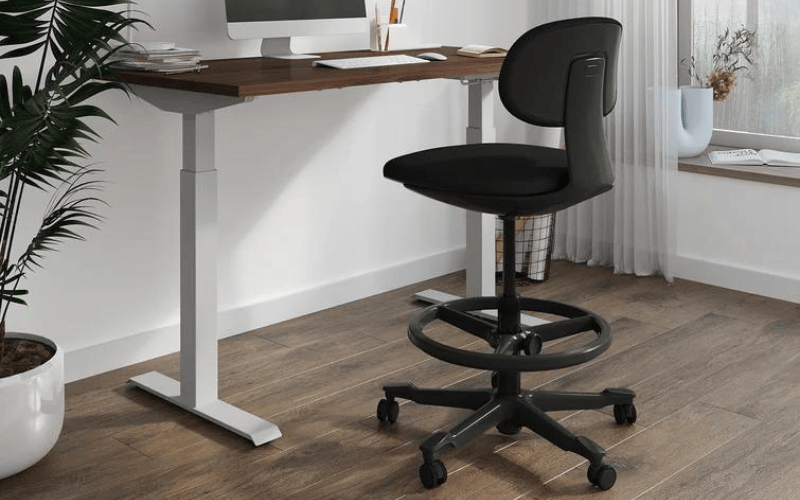
Task chairs with wheels offer enhanced mobility, making them a go-to for dynamic workspaces where movement and collaboration are frequent. Their design often incorporates features that accommodate varied desk layouts and the need for regular adjustments.
I recommend task chairs with wheels if you have a larger desk or workstation and need to access various parts without standing frequently or collaborate often, and want the ease of moving around without standing up.
Similarly, if you have an appropriate floor type or use a protective mat, a task chair with wheels is ideal.
Pros
- Move around your desk easily
- Useful for shared workspaces
- Fits different desk heights
Cons
- May slide on smooth floors
- Can damage floors without mats
Task Chairs Without Wheels
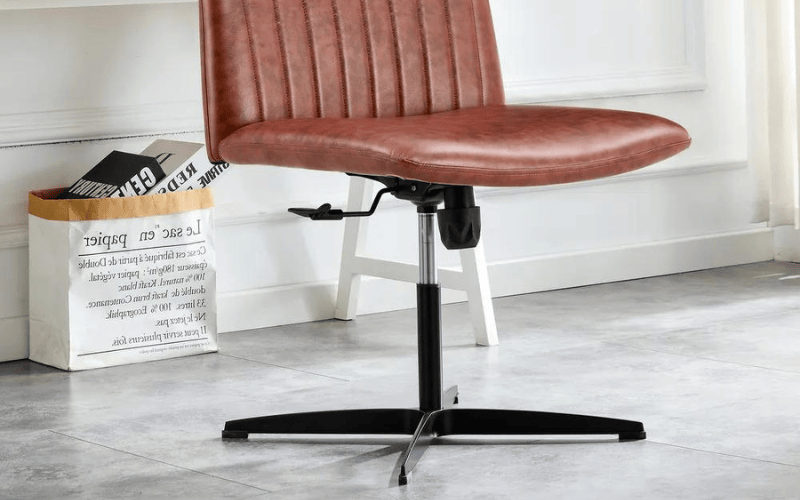
Task chairs without wheels focus on stability, prioritising a fixed position over the flexibility of movement. They're often favoured in environments where consistent placement outweighs the need to shift frequently.
Choose these types if you prioritise stability and have no need to move around frequently, have delicate flooring that could be damaged by wheels, or prefer a more straightforward, no-fuss design. They are also appropriate for use with small workstations.
Pros
- No sliding or rolling
- Simple, lightweight design
- Better for delicate flooring
Cons
- Harder to move around
- Fewer adjustment features
Task Chairs With Arms
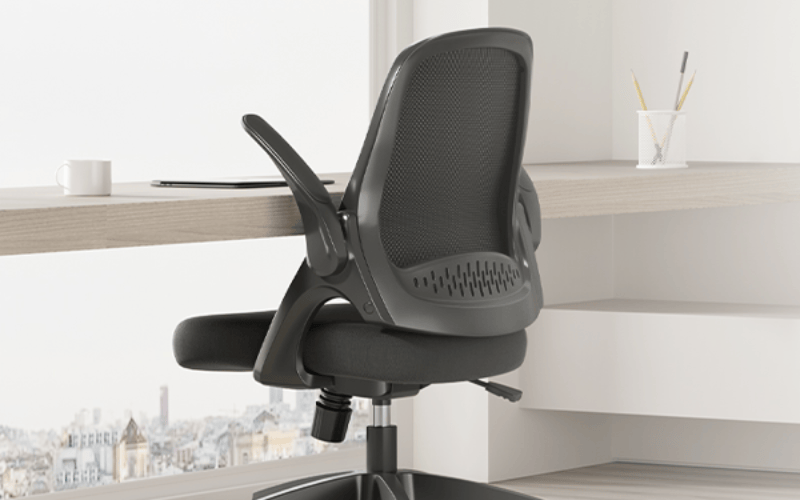
Designed for added comfort and posture support, task chairs with arms provide a resting space for the elbows and forearms, aiding in longer work sessions.
This is particularly helpful if you intend to use the task chair with a computer. Likewise, their construction considers ergonomic factors that help you maintain a healthier seated position.
I recommend task chairs with arms if you spend long hours at the desk and seek additional comfort, value maintaining a good posture throughout the workday, or have enough space to accommodate the additional width.
Pros
- Supports arms during long sitting
- Helps keep arms relaxed
- Adjustable options suit more users
Cons
- May not fit under desks
- Fixed armrests may feel awkward
Task Chairs vs Office Chairs

A task chair is a type of office chair, but they do not mean the same thing. A task chair is made mainly for desk work, such as typing, writing, reading, or using a computer. An office chair is a broader term that can include task chairs, executive chairs, meeting room chairs, and guest chairs.
Task chairs usually focus more on comfort and adjustability. Many come with features such as adjustable height, lumbar support, swivel bases, and tilt settings. These features help you sit properly and stay comfortable while working for long periods.
Office chairs come in more styles and sizes because they are used for different purposes. Some are simple chairs for visitors, while others are larger executive chairs for private offices. Task chairs are usually more compact and practical, making them better suited for everyday workstation use.
Task Chairs vs Executive Chairs

A task chair and an executive chair are both used in offices, but for different purposes. A task chair is designed for everyday desk work, such as typing, writing, and using a computer. An executive chair is usually larger and more formal, often used in private offices or senior workspaces.
Task chairs focus more on adjustability and practical support. Executive chairs usually focus more on comfort and appearance, with thicker padding, wider seats, higher backs, and padded armrests.
Executive chairs also take up more space and are often chosen for their premium look as much as their comfort. For daily focused work, a task chair is usually more practical, while an executive chair is better suited to larger offices or formal settings.
Task Chairs vs Computer Chairs

A computer chair is made mainly for people who spend long hours working at a computer. Computer chairs may also include adjustable height, lumbar support, tilt settings, and swivel movement, especially support for the lower back, arms, and neck during screen use.
The main difference is how they are used. Task chairs are more versatile and often more compact, making them suitable for various workstations. Computer chairs are designed around computer use, so they may have features that support typing, mouse use, and long hours in front of a screen.
Best Task Chairs for 2026
My detailed guide on the best task chairs goes in-depth to help you discover the ideal task chair for your unique use cases. But if you're short on time, here's an overview of my top picks:
1. Kelista Task Chair
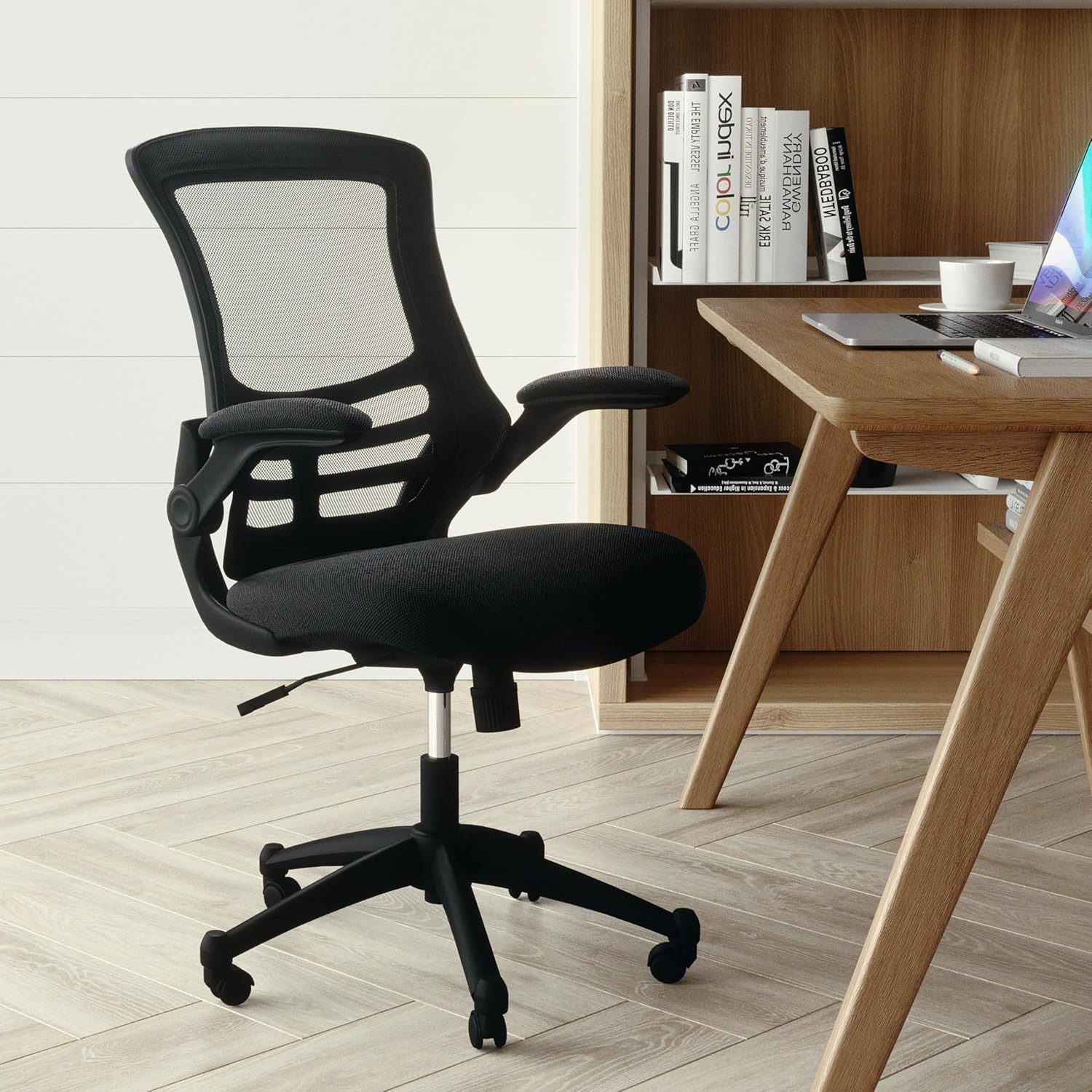
The Flash Furniture Kelista Task Chair is a mid-back chair designed for everyday desk work. It includes lumbar support and a waterfall seat cushion to help reduce pressure during long periods of sitting. It also comes with pneumatic height adjustment, tilt tension control, and a tilt lock feature, giving you more control over your sitting position.
The padded armrests can be folded up when you need more space or want to slide the chair under a desk. It is also available in different colour combinations, making it easier to match with your workspace and is a practical and affordable option for home or small offices.
2. HÅG Capisco Puls 8010
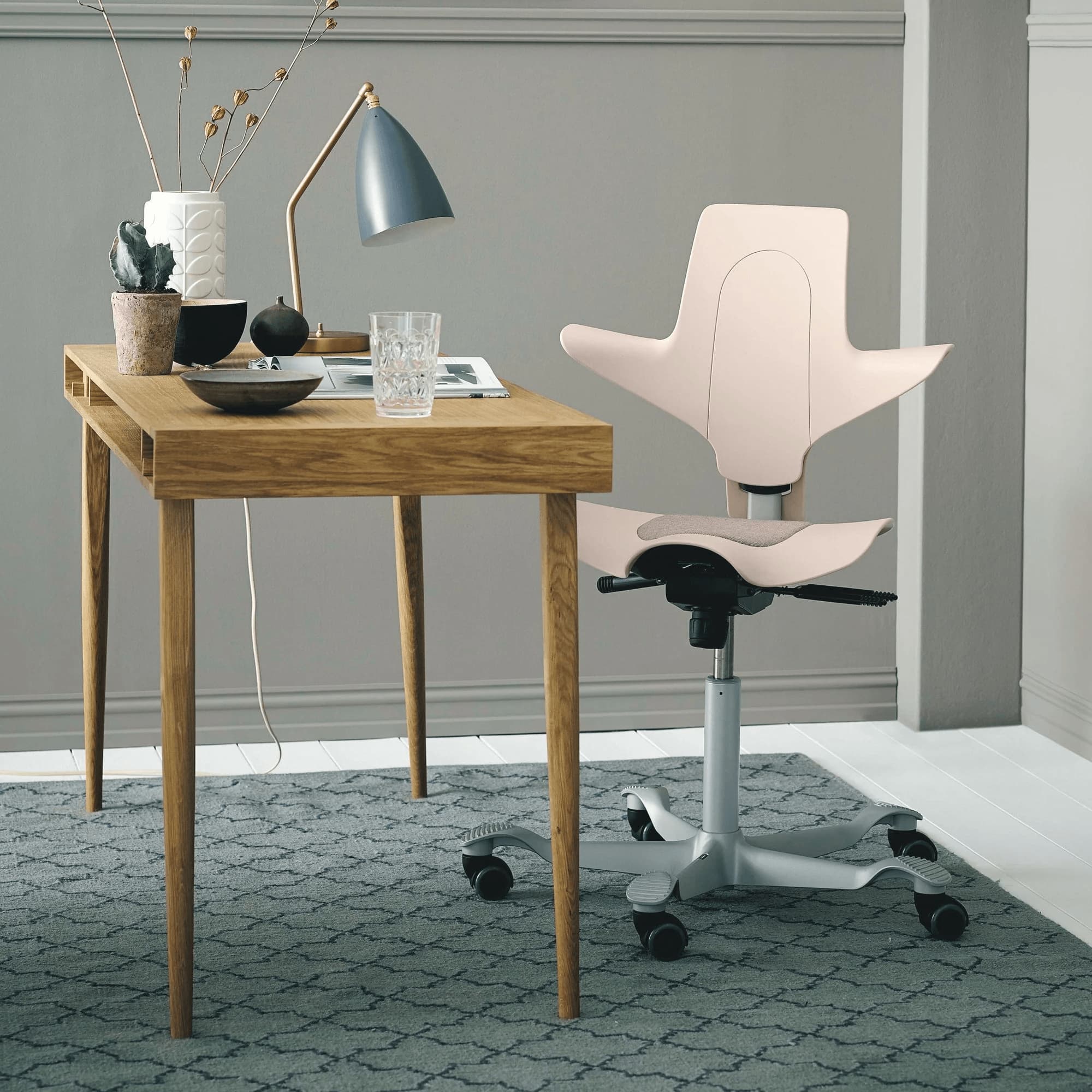
The HÅG Capisco Puls 8010 is designed for more movement while working. Its saddle-style seat encourages a more active sitting position, helping you shift posture throughout the day instead of staying fixed in one position.
You get an adjustable height to move from a normal seated position to a higher sit-stand position and foot support, giving you a comfortable place to rest your feet as you change positions.
It comes with several adjustment options, including seat height, seat depth, back height, backward tilt tension, and lockable tilt. The optional headrest adds extra support if you require one.
3. Werk RX-2
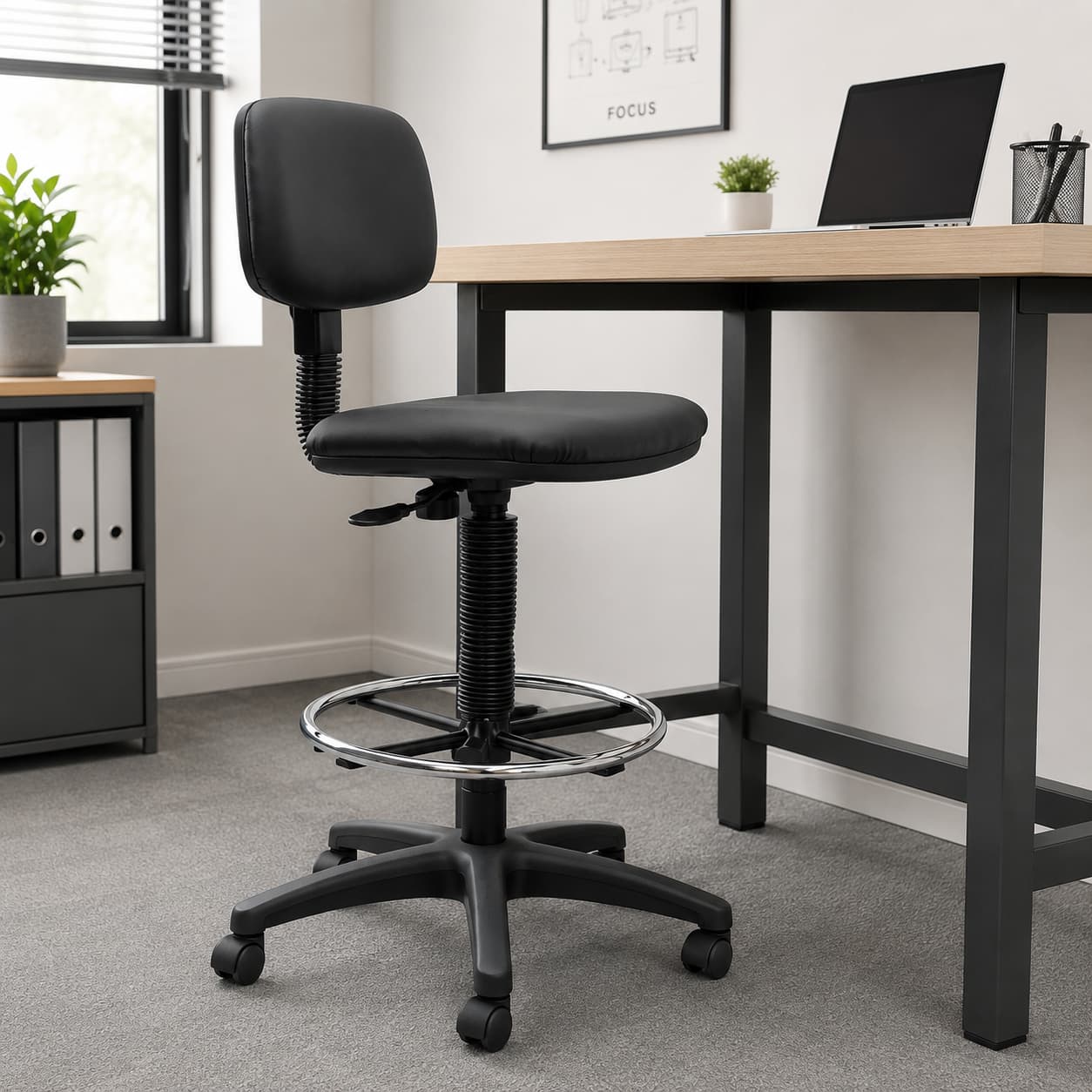
The Werk RX-2 is a practical and budget-friendly task chair designed for office use. It comes with a supportive backrest, pneumatic seat height adjustment, and manual back height adjustment.
The chair includes a free-floating adjustable backrest angle and a height-adjustable foot ring, which is useful for higher desks or drafting-style workstations. Its upholstered finish gives it a cleaner, more polished look, while the black colour makes it easy to match with most office setups.
The Werk RX-2 has a 110 kg weight rating, a 450 × 450 mm seat size, and a seat height range of 600 mm to 860 mm.
How Do You Sit in a Task Chair?
How you sit in a chair is as important as the ergonomic features. For a task chair, the following guidelines will help you sit appropriately.
- Set the chair so your feet rest flat on the floor and your thighs are level or slightly angled down.
- Keep your back against the backrest and make sure your lower back is supported.
- Place both feet on the floor. Avoid crossing your legs or letting your feet hang.
- Adjust them so your elbows rest comfortably at about a 90-degree angle.
- Keep your shoulders loose and avoid hunching forward.
- Face forward and keep your screen at eye level where possible.
- Sit upright and avoid leaning forward for long periods.
- Adjust the tilt, seat depth, or backrest until the chair feels comfortable.
- Stand, stretch, or walk around every hour to reduce stiffness.
Are Task Chairs Ergonomic?
Yes, task chairs are designed with ergonomics in mind. Their ergonomic features, which include adjustable height, tilt options, backrest, armrest, and lumbar support, help with proper posture, comfort, and mobility and provide adequate support to the spine.
The ergonomic design of task chairs also helps reduce the risk of musculoskeletal issues and other discomforts associated with prolonged sitting. By providing proper support and adjustability, task chairs can contribute to a healthier and more comfortable workspace, thereby improving overall productivity and well-being.
How Big is a Task Chair?
Understanding the dimensions of a task chair is helpful when deciding on the right fit for your workspace. The specifications and dimensions include:
- Width: A standard task chair generally measures between 48 to 61 cm wide.
- Depth: The depth usually falls in the range of 48 to 61 cm.
- Height: Task chairs often feature adjustable heights, but they range from 86 to 102 cm.
Seat heights are adjustable in most models to accommodate different desk heights and user preferences. When selecting a task chair, consider both your workspace dimensions and your personal comfort.
How Long Do Task Chairs Last?
The durability and longevity of a task chair depend on several factors, including:
- Build quality: A well-made task chair will naturally have a longer lifespan. High-quality materials and construction play pivotal roles.
- Frequency of use: Chairs used daily for 8+ hours will show wear more quickly than those used occasionally.
- Maintenance matters: Regularly inspect the chair's components, such as wheels, armrests, and adjustable mechanisms. Likewise, avoid leaning back too forcefully or using the chair in ways it wasn't designed for.
- Expected lifespan: On average, a frequently used, high-quality task chair can last between 7 to 10 years.
How Do I Choose a Task Chair?
Choosing the right task chair is crucial for your comfort and productivity. Here are some essential factors to consider when selecting a task chair:
1. Ergonomics
Look for a task chair with adjustable features such as seat height, lumbar support, seat depth, and tilt options. Ergonomic chairs allow you to customise the chair's settings to fit your body and promote proper posture.
2. Comfort
Sit in the chair if possible or read reviews to assess its comfort level. Look for well-padded seats and breathable upholstery materials. The lumbar support should be adequate and positioned correctly to support your lower back.
Choose a chair with adjustable armrests, as they can provide support for your arms and help reduce strain on your shoulders and neck. Armrests should be at a height where your arms rest comfortably while typing or using a computer.
3. Size and Fit
Consider the chair's dimensions and weight capacity to ensure it can accommodate your body size and shape comfortably. The seat width and depth should be sufficient for you to sit comfortably without feeling cramped.
4. Durability, Aesthetics, and Quality
Look for a task chair made from sturdy materials that can withstand regular use. Chairs with solid construction and quality components are likely to be more durable in the long run. Consider the chair's design and how well it complements your workspace.
While comfort and ergonomics are essential, you might also want a chair that matches your office's style or your personal preferences. Check if the chair has smooth-rolling caster wheels, allowing you to move around your workspace without straining or damaging the floor.
5. Brand Reputation and Warranty
Research the reputation of the brand and read reviews from other users to gauge the chair's overall quality and customer satisfaction. Likewise, check the warranty offered by the manufacturer, as well as the seller's return policy, to ensure you have recourse if any issues arise with the chair.
6. Budget
Set a budget for your task chair purchase. While high-quality ergonomic chairs can be more expensive, they are an investment in your comfort and well-being during long hours of work.
Are Task Chairs Worth It?
Task chairs are worthwhile if you spend long hours at a desk. Features such as lumbar support, adjustable height, tilt, and armrests help you sit more comfortably and reduce strain on your back, shoulders, and legs.
A good task chair also makes it easier to stay focused. When your chair supports your body properly, you are less likely to keep shifting around, feel uncomfortable, or take unnecessary breaks.
Although task chairs often cost more, the extra comfort and support often make the price easier to justify. The value comes from better posture, improved comfort, and a more productive work setup.
Frequently Asked Questions (FAQs)
Here are some frequently asked questions about task chairs.
How do I adjust my task chair for optimal comfort?
Set your chair height so your feet sit flat on the floor and your thighs stay level. Adjust the lumbar support to fit your lower back, then set the armrests so your shoulders can stay relaxed.
If your chair allows it, adjust the seat tilt and depth for better comfort. Sit upright and keep your screen at eye level to avoid neck and back strain.
Are task chairs suitable for all body types?
Task chairs are built to suit different body types, but the level of adjustability can vary. Look for options with adjustable height, lumbar support, and seat depth so you can find a more comfortable fit.
Where possible, test the chair before buying. This helps you check whether the seat, backrest, and armrests match your body properly.
Can task chairs help with back pain?
Yes, an ergonomic task chair can help reduce back pain, especially if it has proper lumbar support. This helps support the natural curve of your lower back and reduces pressure while sitting.
It will not solve every back problem, but it can make long hours at a desk more comfortable when used with good posture and regular movement.
 Darren Sherwood
Wrapping Up
Task chairs are a valuable investment, especially if you spend a significant amount of time working at a desk. However, whether a task chair is "worth it" depends on individual needs, preferences, and budget.
If you spend most of your day working at a desk, investing in a quality task chair that supports your body can have long-term benefits. On the other hand, if you have a limited budget or do not use a desk chair for extended periods, a more basic chair may suffice.





)